




Skip to content

A diary that knows which studio you're in today

Your studio and your guest spots, each with its own hours and dates. Clients only see what's free where you are.

For iPhone and iPad
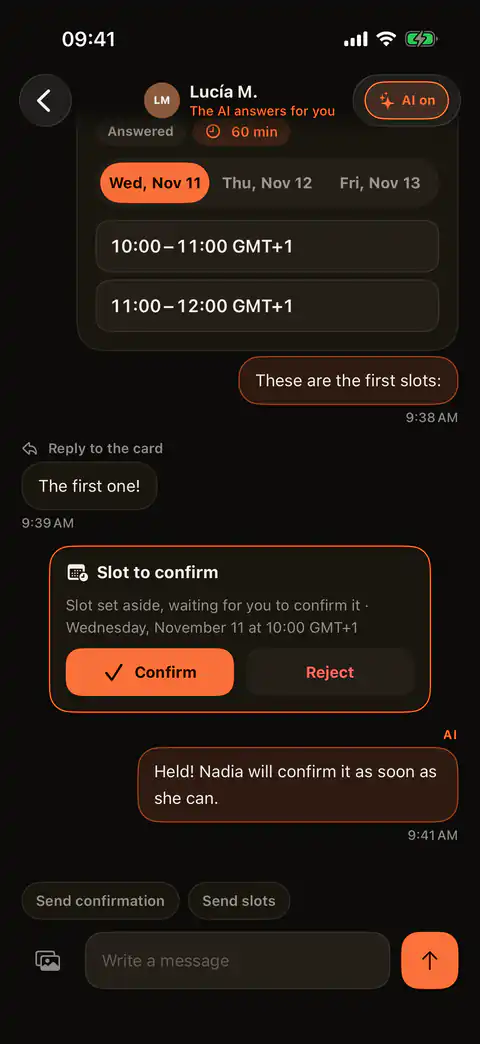
Drop offers three free times and the client picks the first

What goes wrong when the diary lives in your head?

  • Two clients, both sure that Saturday at eleven is theirs.
  • They want tomorrow and you need days to get the design ready.
  • You're off on a guest spot and nobody knows which days you're there.
  • Back-to-back sessions, no time to wipe down the bed or eat.
01

Only what's free

Clients only see hours you have free, at the place you're tattooing those days.

02

Slot held

They pick one and it's set aside for them while you decide. Held isn't booked.

03

Your call

You see who's asking and for when, and you say yes or no. No yes from you, no appointment.

04

Your week

All your sessions, studio and guest spot alike, in a single week.

Who's in charge of your diary?

  1. No appointment exists until you confirm it.
  2. You set how long a session runs and the gap you leave before the next.
  3. Each place keeps its own hours: your studio's never get mixed with the guest spot's.

Questions

Can I see my appointments in my phone's calendar?

Yes. A calendar link shows them in Apple Calendar or Google Calendar, read-only.

Read it in Help

Can a client hold several slots at once?

No. Each client has one slot held until you confirm it or turn it down.

Read it in Help

Can I add appointments that come in some other way?

Yes, you create them yourself in the app. That hour stops being free and is no longer offered.

Read it in Help

Can someone book me for the next day?

Only if you want that. You set the least notice you'll take, and nothing sooner is offered.

Read it in Help

Try it with your own clients

Get Drop on the App Store. It's free to start.